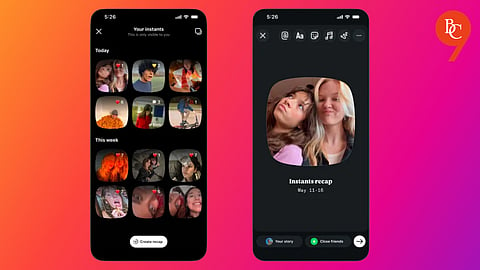


A new feature on Instagram is quietly rolling out into users’ inboxes, adding another layer to an already crowded DM experience. Called Instants, the feature lets users send quick, disappearing photos to close friends or mutual followers, much like Snapchat.
It can be sent through Instagram’s DM inbox. The rollout comes shortly after the platform moved away from encrypted messaging in certain areas of its chat system. Photos sent via Instants disappear once they are opened and cannot be accessed again after 24 hours.
Instants may appeal to users who want more private, casual sharing on Instagram, but for those already overwhelmed by a busy inbox, it can feel like just another layer of clutter. The feature reflects Instagram’s push toward more spontaneous communication, though not everyone may welcome the added noise. The good news is that Instagram does offer an option to hide Instants, though it’s slightly hidden in settings.
The new Instants feature on Instagram has triggered a wave of criticism, with users questioning both its design and privacy implications.
Many are uneasy about the lack of editing or preview options before sending photos, arguing it removes the control they are used to. Reactions on social media platform X included comments like “yoo this new ig instant thing is NOT safe” and “wtf is Instagram doing with that instants feature.”
Open the Instagram app (iOS or Android)
Tap your profile icon in the bottom-right corner
Tap the three-line menu in the top-right corner
Go to “What you see” → Content Preferences
Enable “Hide Instants in inbox”
Instants will no longer appear in your DM inbox
At the core of the backlash is privacy. While the platform claims Instants cannot be screenshotted or recorded, users remain doubtful about how secure the feature really is. The instant-send format strips away layers of control, making some uncomfortable in an app long associated with curated, polished content.
Press and hold the Instants section in your inbox
Swipe right to temporarily stop receiving them
Swipe left in the same area to restore them
