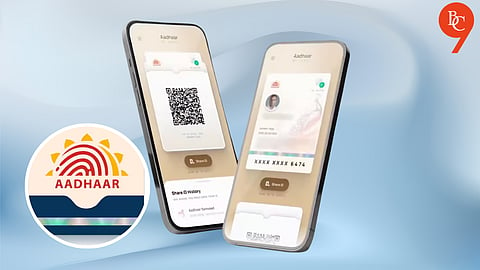


The new Aadhaar app, developed by the Unique Identification Authority of India (UIDAI), was launched on July 1, replacing the mAadhaar app, which was retired on June 30. Available on both Android and iOS, the app is currently in a testing phase and can be downloaded from the Google Play Store and Apple App Store.
As users transition to the new platform, questions remain about what happens to old mAadhaar records, the app's new features and how to use it. Here's everything you need to know.
Users can now share their Aadhaar ID digitally, eliminating the need for physical copies.
The app enables the transfer of Aadhaar information through QR codes or verifiable credentials.
These details are shared in a masked format, so users are not required to disclose their complete 12-digit Aadhaar number.
Up to five Aadhaar profiles can be configured and managed on a single device, as long as they are all linked to the same registered mobile number.
This functionality is especially useful for parents whose children’s Aadhaar records are associated with their phone number.
The system also supports biometric locking and unlocking. Once biometric security is activated, the biometric data in the Aadhaar profile remains locked until it is temporarily unlocked or the lock is disabled by the system.
In a message on X (previously known as Twitter), UIDAI urged users to download the early-access version of the application to facilitate immediate, paperless Aadhaar verification.
Download the Aadhaar app from the Play Store or App Store.
Open the app, select your preferred language and enter the 12-digit Aadhaar number.
Use the registered number to receive the OTP.
Authenticate via face-scan or biometric.
Add Aadhaar profile.
Create a six-digit security PIN to lock and protect the profile.
Once setup is complete, users can view their Aadhaar details, retrieve your QR code, share verifiable credentials, lock/unlock biometrics.
No. The retirement of the mAadhaar app does not affect your Aadhaar number or data, which remains securely stored in UIDAI's central database.
The new Aadhaar app simply changes how users access services and adds features such as face authentication, consent-based data sharing, biometric locking and e-Aadhaar downloads.
